
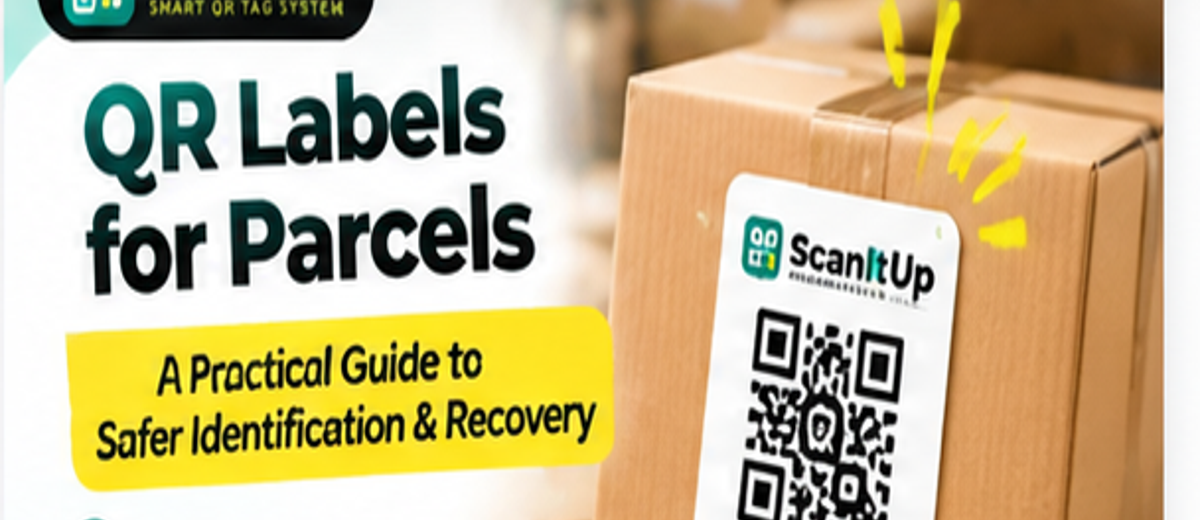
A parcel can be perfectly packed and still end up on the wrong reception desk, in the wrong lobby, or separated from its paperwork. A small QR label will not solve every delivery problem, but it can make one important step easier: helping the person who finds a package contact someone who can identify it. Here is how to use QR labels for parcels sensibly, without confusing them with courier tracking or exposing private details.
Why put a QR label on a parcel?
A parcel usually has enough information to travel through a courier network, but not always enough information for a helpful person to contact its owner safely. A printed shipping label can tear, fade, or be covered by another sticker. A QR label offers a second route: someone who finds a misplaced package can scan it and, depending on how the tag is configured, send a message or reach a return contact. It is a backup contact method, not a replacement for the carrier’s shipping barcode, tracking number, or proof of delivery. The useful question is not whether a QR code looks modern. It is whether a finder can use it without seeing information you would rather keep private.
QR labels for parcels versus courier barcodes
Courier barcodes are created for sorting, routing, and tracking shipments within a delivery company’s system. A personal QR recovery label serves a different purpose: it points to a contact or identification page selected by the owner. A courier barcode might be scanned dozens of times inside depots; a recovery QR tag is intended for the person who encounters the package when something has gone wrong. Do not cover the address block, carrier barcode, hazardous-goods marking, customs declaration, or any label required for delivery. Keep the recovery tag visually separate and label it clearly, such as ‘Found this parcel? Scan to contact the owner.’ That simple sentence helps a stranger understand why the extra code exists.
When an extra QR parcel label is useful
Consider a small business sending a sample kit to a customer. The shipping label identifies the recipient, but a loose carton discovered outside a shared office may be difficult to match to the right desk. A QR recovery tag could provide a contact path to the sender. Or imagine a family shipping personal belongings between cities. If a carton is accidentally left in a building lobby, a finder might use the QR tag to notify its owner. These are possibilities, not guaranteed recoveries. The finder needs a working phone, an internet connection if the QR destination is online, and a willingness to scan. The label also has to remain readable.
What information should a parcel QR code reveal?
Use the minimum information necessary for a useful return. A contact form, masked messaging option, or a business support address may be sufficient. Avoid publishing a home address, personal phone number, identity document number, or detailed inventory list on a public landing page. If you are shipping valuable goods, a QR page saying ‘expensive electronics inside’ could attract the wrong attention. For business parcels, consider a generic department contact rather than a staff member’s personal number. If your QR tag service offers privacy controls, test what an unauthenticated visitor can actually see before using it.
How to set up QR labels for parcels
Start by deciding who should receive a message if a parcel is found: the sender, the recipient, or a shared support inbox. Create the QR tag through your chosen service and set the contact destination. Print the code at a size that scans reliably on the actual packaging material; there is no single magic dimension because print quality, contrast, phone camera, and scanning distance all matter. Use dark code elements on a light, uncluttered background, and leave the quiet zone around the code intact. Add a short human-readable instruction beside it. Then scan the printed label using at least two phones, including one that is not logged into your account.
Where to stick the QR label on a box or mailer
Choose a flat, visible part of the parcel that will not be folded around an edge. On a cardboard box, a side panel away from tape seams is often better than a corner. On a flexible mailer, put the label where the surface stays as flat as possible when filled. Avoid covering the carrier’s label and avoid placing the QR tag under glossy tape that creates strong reflections. If the parcel may encounter rain or handling friction, consider a suitable weather-resistant label stock. For reusable shipping crates, a more durable tag may be practical. Test scanning after the parcel has been fully packed, not only while the label is lying flat on a desk.
A simple parcel labeling workflow for small businesses
A repeatable process matters more than a complicated system. Pack the item, apply the courier label, add the recovery QR label, and scan both before dispatch. If you use a different QR tag for each parcel, record which tag belongs to which order in your own secure system. If you reuse a tag, confirm that its destination and contact details still make sense. Train staff not to photograph customer addresses unnecessarily and not to put order details into public QR pages. A final check should answer three questions: Can the courier scan its barcode? Can a finder understand the recovery label? Does the QR page avoid exposing private information?
What a QR parcel label cannot do
A printed QR label does not show the live location of a parcel by itself. It cannot tell you which warehouse a shipment entered unless a connected system records that information, and it does not replace courier tracking. It cannot force a finder to scan, prevent theft, or guarantee a return. Some services offer scan notifications, but those only indicate that a code was accessed under the service’s conditions; they are not proof that a parcel has been found or delivered. Be cautious about claims that a QR sticker is a GPS tracker. A QR code is an entry point to information or an action, not a location sensor.
Privacy and safety checks before shipping
Think about who might scan the code: a courier worker, a building receptionist, a customer, or an unrelated passerby. Open the QR page in a private browser window to see the public view. Remove any personal details that are not needed. If a message form is available, check whether it can be abused for spam and whether you can update the contact destination later. Never ask a finder to upload identity documents just to report a parcel. For sensitive deliveries, follow your courier’s approved handling instructions first; an extra QR label should not interfere with security seals or regulated shipment requirements.
QR labels for parcels sent within India
In India, packages may pass through multiple hubs, apartment reception desks, shop counters, and shared office buildings. That makes clear labeling valuable, but it does not change the courier’s delivery rules. Keep the recipient address and phone details in the format requested by your chosen carrier, and follow any applicable packaging or documentation requirements. A recovery QR label can complement those details by giving someone outside the courier system a way to report a misplaced package. If you are using it for a business, keep the message polite and simple, and consider including both English and a locally appropriate language on the printed instruction.
How to test a label before using it at scale
Run a small pilot instead of printing hundreds of labels immediately. Put tags on a few test cartons and ask colleagues to scan them under normal lighting. Try an older phone and a phone with a basic camera. Check whether the QR opens the correct destination, whether the contact form works, and whether the message reaches the intended person. Rub the label lightly and check it again after handling. If the code fails on curved or crinkled surfaces, change the placement or material. A recovery label that scans perfectly on a computer screen but fails on real packaging is not ready for dispatch.
Common mistakes to avoid
The most frequent problems are preventable: printing a tiny code, using low contrast, covering the quiet zone with graphics, placing it across a box seam, or forgetting to test the link. Another mistake is making the landing page too complicated. A finder should not need to create an account, browse a product catalog, or guess which button to press to report a parcel. If you add branding, keep it away from the critical code pattern unless the QR design has been properly tested. Finally, review old tags periodically so a parcel does not lead to an abandoned page or an outdated contact.
How Scan It Up fits into parcel identification
Scan It Up focuses on QR-based identification and contact workflows. If you are considering it for parcels, check the current tag setup options, privacy settings, and available messaging features on the service before rolling it out. Match the plan and tag behavior to your actual use case rather than assuming every feature is included. For a few personal shipments, a straightforward contact route may be enough. For a business handling many parcels, the bigger question is how staff will create, assign, test, and maintain tags consistently. A reliable workflow is more useful than a long feature checklist.
Frequently asked questions
Can a QR label replace a shipping label?
No. Keep the courier-required shipping label and barcode. A QR recovery tag is an optional extra contact method.
Do QR parcel labels track a package in real time?
Not on their own. A printed QR code does not contain GPS hardware or provide live tracking.
Should I put my mobile number inside the QR code?
Only if you are comfortable making it available to anyone who scans. A contact form or privacy-controlled page can be a safer option.
Can I use the same QR tag on every parcel?
Possibly, if your workflow and QR service allow it, but unique tags can make it easier to identify which parcel a finder is reporting.
What if the QR code gets damaged?
The code may stop scanning. Use suitable materials, avoid seams and folds, and keep the normal shipping information intact.
The practical takeaway
QR labels for parcels are most useful as a simple backup for human contact when a package ends up in the wrong place. They work best when the instruction is obvious, the code scans quickly, the contact destination is current, and personal information stays protected. Start with one parcel, test it properly, and make the process repeatable before adding QR recovery labels to every shipment.
